
Feature · Calls and messages

Calls Messages — your business line in a single app

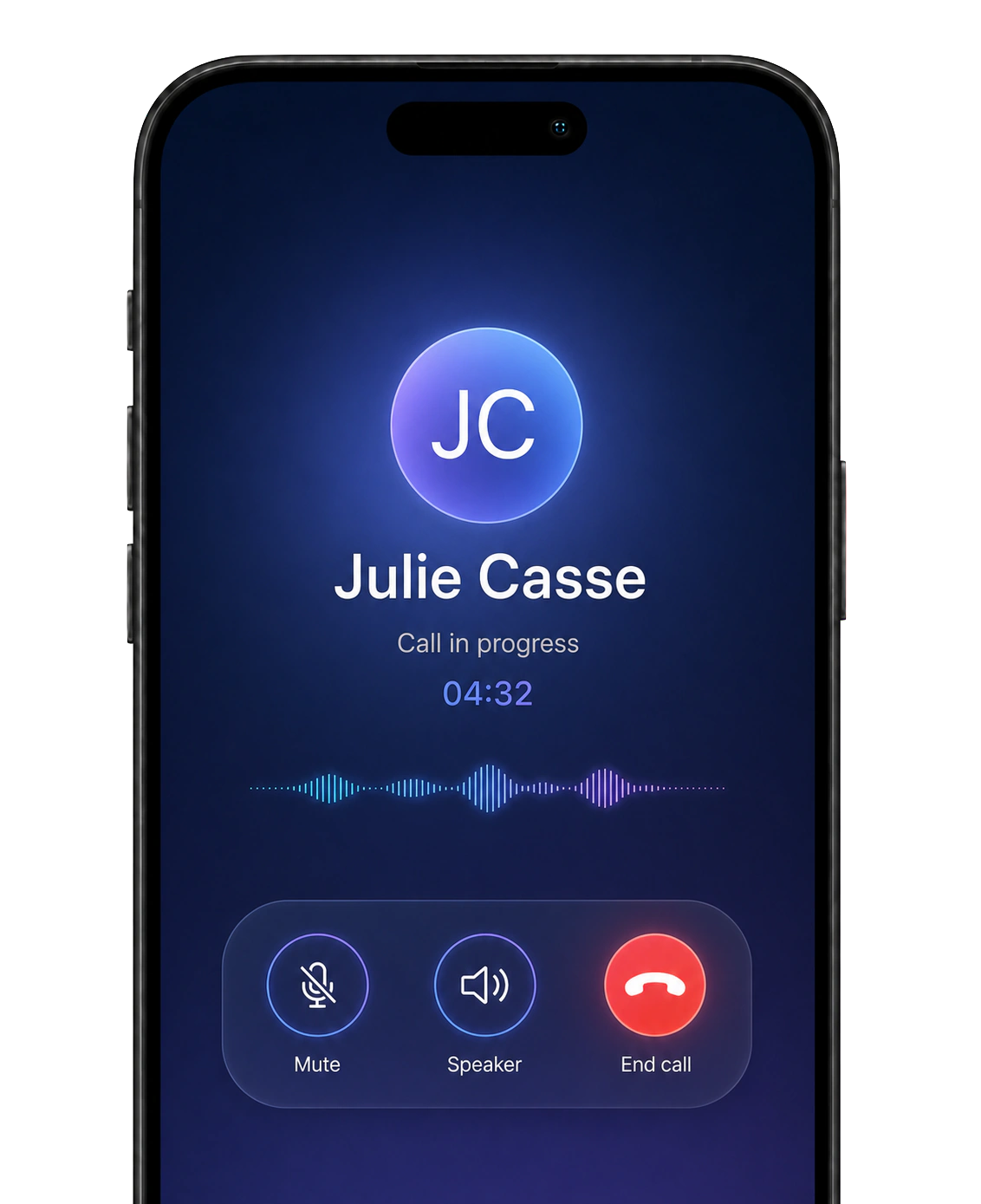
Bloom AI app during a live call, showing the client's name, the duration and the call controls

A real business line inside a single app: unlimited calls, unlimited texts. Keep your current number or take a new one to bring it all together.

Book a demo

What you can do

Everything happens in the app.

Call, answer, text, follow up: it all fits in one app.

What you can do from the Bloom AI app

Call your customers

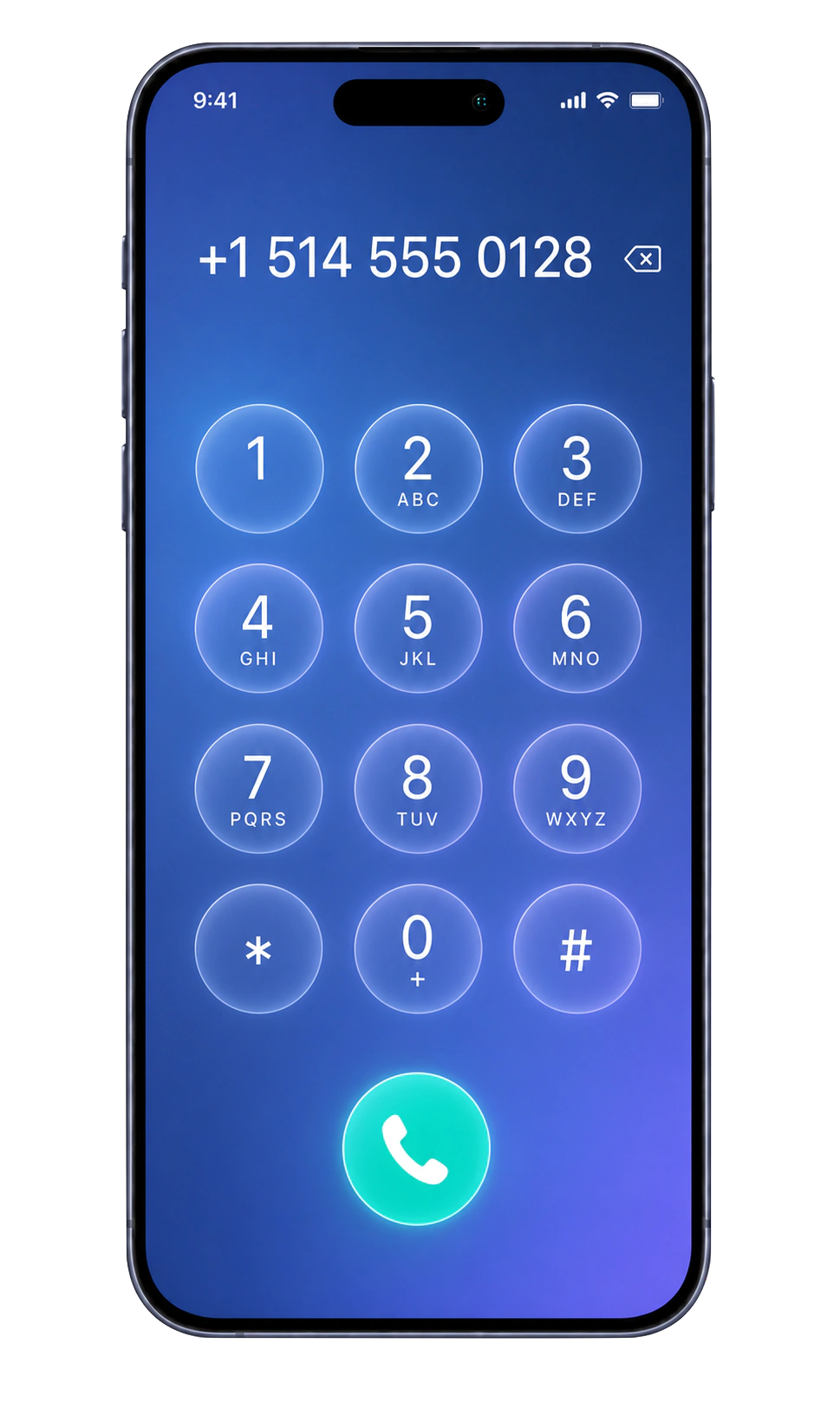
The keypad is in the app: you dial, it goes.

Take their calls

Calls ring in the app, with the client's name already there.

Send and receive texts

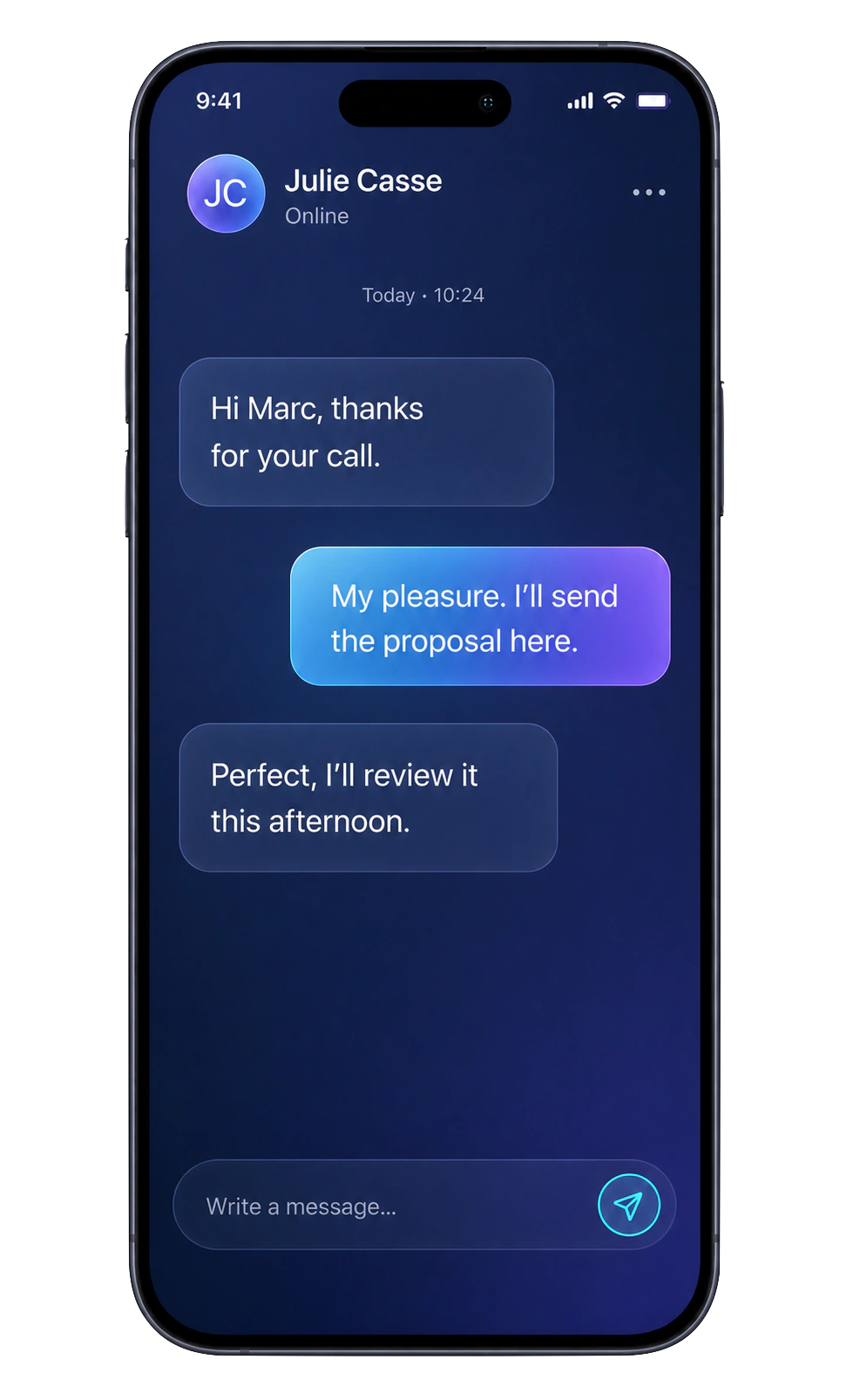
Your texts join the calls in the same client conversation.

Pull up the whole history

Every client file keeps its calls, texts and notes.

Get the recap and the coaching

Bloom AI writes them after the call, from what was actually said.

Everything here works with the number you already have and with a Bloom AI number alike.

Choosing your number

Two options, zero commitment.

Keep the number your clients already dial, or take a new one. Either way, you call from Bloom AI. See the comparison

  1. Option 1

    You keep your number

    Your number stays with Bell, Rogers or Telus: nothing to port, nothing to cancel. You call from Bloom AI and the number your client sees is your usual one. Inbound calls, meanwhile, land in the app through a simple automatic forward.

  2. Option 2

    You take a Bloom AI number

    A local number, live within minutes. Inbound calls, outbound calls and texts all land in the app, in each client's thread. The full experience.

  3. Either way

    You stay in control

    No hardware, no contract, no commitment. It is all set in the app.

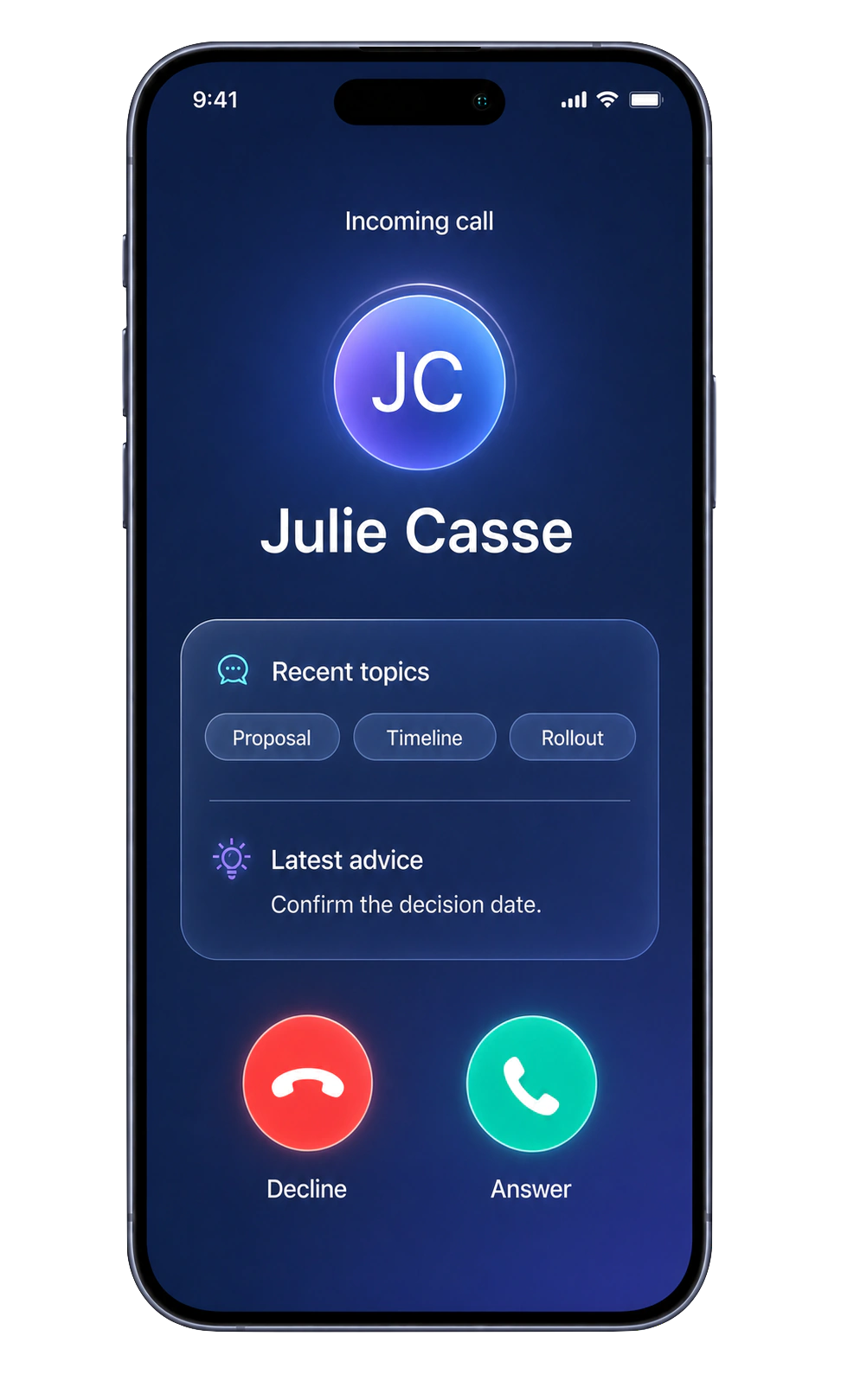
Bloom AI app showing an incoming call with the client's recent topics and the latest advice

Inbound calls

You know who's calling, before you pick up.

When the phone rings, the screen shows more than a number: the client's name, the topics from your last conversations and the latest advice Bloom AI left are already there. You answer prepared.

  • The client's context arrives with the ring
  • Nobody picks up blind anymore

Outbound calls

Dial, it rings.

The keypad lives in the app. You dial the number, or start from a client's file, and the call goes out. Nothing else to open.

  • One keypad, right in the app
  • Call straight from a client's file

Messages

Texting, follows your number.

It depends on the number you chose. With your current number, the Message button opens your phone's own messaging: nothing changes for you. With a Bloom AI number, texting lives in the app, and the client's thread holds their calls and their texts together.

  • Your current number: the Message button opens your own messaging
  • Bloom AI number: calls and texts in the same client thread

The comparison

Keep yours, or take a new one.

Your current number works in Bloom AI without leaving your carrier: you keep your line, your plan and your habits, and you get the Bloom AI experience. A Bloom AI number adds the last piece — texts inside the same app.

No mandatory porting. Would you rather hand your number over to Bloom AI? We port it on request: Bloom AI then becomes your line's carrier and you get the full experience, texts included. It is an option, never a condition.

Comparison: keeping your current number or taking a Bloom AI number

Option 1

Your current number

Bell, Rogers, Telus… it does not move.

No commitment

Option 2

A Bloom AI number

Local, in the area code you choose.

Full experience

Outbound calls

In the app

You call from Bloom AI. Your usual number is the one that shows on the client's phone.

In the app

You call from Bloom AI with your new local number.

Inbound calls

Through your line

Automatic forwarding brings your line's calls into Bloom AI: they ring in the app, with the client's file open. We walk you through setting up automatic call forwarding to your Bloom AI line: one setting to change on your phone, switched off whenever you want. You can also exclude the contacts you consider personal from Bloom AI's analysis and processing — at no charge.

In the app

Calls ring straight in the app. Nothing to forward.

Texts

Through your line

The Message button opens your phone's messaging: your texts go out on your own plan, exactly as they do today.

In the app

You write and receive texts in the app, in each client's thread.

Setup

Through your line

One setting to switch on your phone, which you switch off whenever you want.

Nothing to do

The number is live within minutes. No hardware, no installation.

Commitment

Nothing to do

You keep your carrier and your plan. Nothing to cancel, no porting imposed.

Nothing to do

No contract, no hardware: you stop whenever you want.

Both options give you the Bloom AI experience: your calls in the app, with the coaching and client follow-up that come with them. The Bloom AI number adds texts in the same place.

Frequently asked questions

Do I have to change my number to use Bloom AI?

No, and there is nothing to port. Your current number stays with your carrier: you call from the app and that number is the one your client sees, while automatic forwarding brings inbound calls into the app. Porting stays available if you ask for it, but it is never required. If you would rather start fresh, a Bloom AI number goes live within minutes and adds sending and receiving texts inside the app.

Do I need phone hardware?

No. An internet connection and the app are enough. No desk phones, no phone system to install, no network setup to plan.

Are calls unlimited?

Yes, inbound and outbound calls are unlimited, within the fair use policy set out in our legal terms. Messages go out from the same number as your calls, straight from the client's record: your written and spoken exchanges stay in one conversation.

Which number does the client see?

The one set in the app. If the rep chose to keep their personal number in their settings, that is the number showing on the client's phone; otherwise the Bloom AI number is the one that shows.

What does the rep see when a client calls back?

The client's name, the topics from your last conversations and the latest advice Bloom AI left show up before they even pick up. The call is then analyzed like any other: the debrief lands seconds after hanging up.

Where is my data hosted? Is it Law 25 compliant?

Your data is encrypted in transit and at rest, and hosted in Canada. Bloom AI complies with GDPR and Quebec's Law 25; guaranteed data residency is available on the Enterprise plan.

Ready to open your Bloom AI line?

See Bloom AI telephony in real conditions: calls, messages and the number choice — personalized demo, no commitment.

Book a demo
  • Set up in minutes
  • Your number kept
  • No commitment
Sell without limits 🚀 Step into the future of sales
Book a demo 👇 Tell us everything 💬