Coming soon

CRM updated automatically after every call

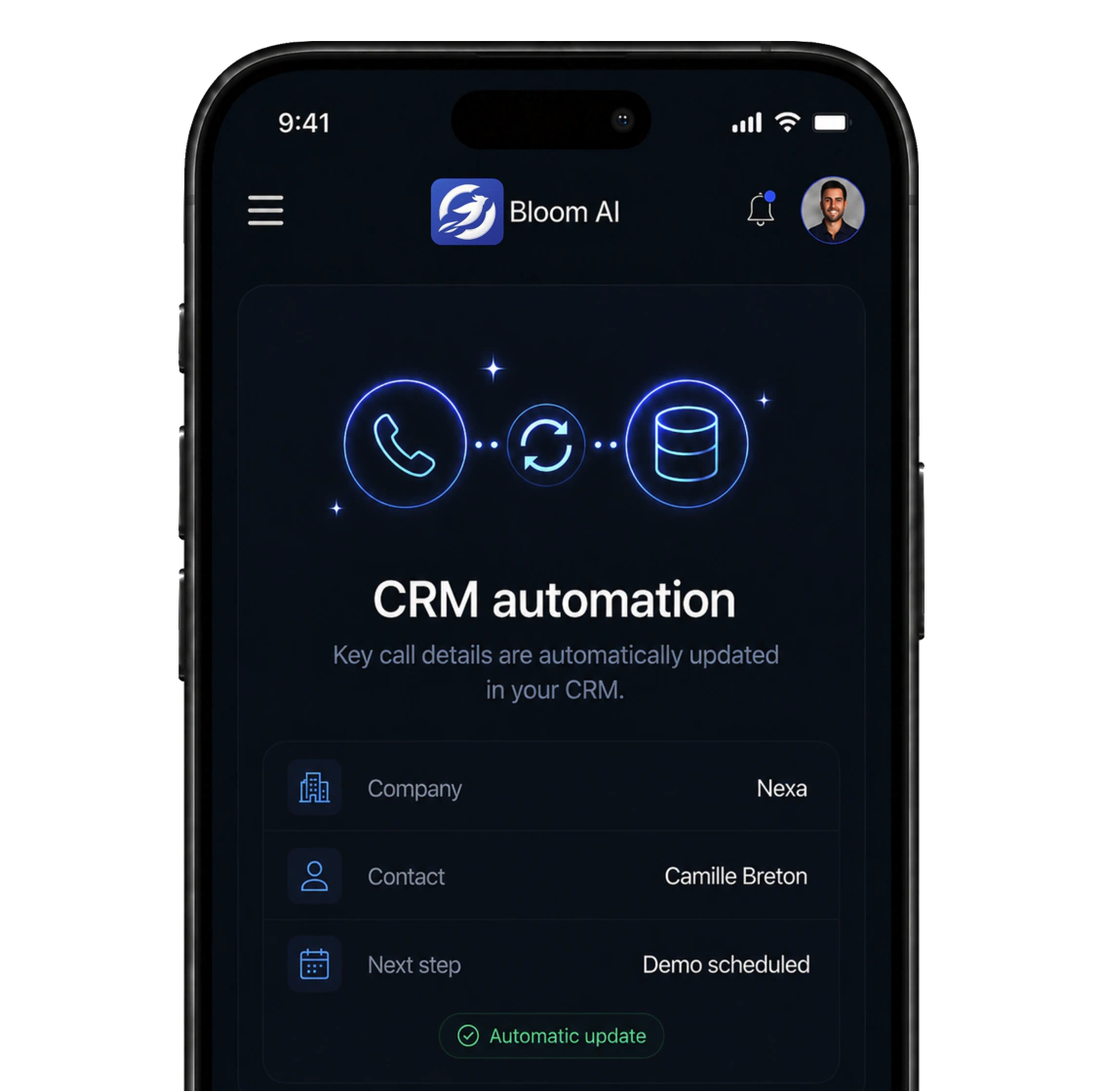
Bloom AI app showing a CRM record updated automatically after a call: company, contact and next step

After every call, the topics discussed, the meeting booked and the useful information about the client are written into your CRM, without anyone opening a form. And when there was no call, a voice note is enough: Bloom AI writes the recap and files it in the right place.

Book a demo
Contact us to learn about the roadmap

Writes straight into your CRM

  • Salesforce
  • HubSpot
  • Microsoft Dynamics

Without Bloom AI · after the call

The call is over. The CRM can wait until tonight.

  • A summary nobody ever writes
  • A meeting booked, recorded nowhere
  • A pipeline that lies to the manager

How it runs

You hang up, the CRM is current.

No form, no checkbox, no end-of-month reminder. The call ends, Bloom AI writes, your CRM receives.

  1. The second you hang up

    The call becomes a summary

    Bloom AI reads the conversation back and keeps what matters: the request, the promise, the decision. Your rep moves straight on to the next call.

  2. The seconds after

    Every detail finds its field

    Topics discussed, meeting booked, useful client information: each element joins the right client's record in your CRM, never a free-text box at the bottom of a page.

  3. And for everything else

    A voice note is enough

    Plant visit, coffee, meeting at the client's site: your rep speaks for forty seconds from the car. Bloom AI turns it into a meeting recap, and it joins the right client's record.

Summary · Nexa

12 min call

  • Summary · written by AI

    Nexa wants 8 reps equipped before September

  • Contact · Camille Breton

    VP Sales, decides after the internal review

  • Company · Nexa

    Manufacturer, 120 employees, Montreal

Written the second the call ends

Topics · Nexa

3 topics

  1. Topic · Need

    Equip 8 reps before September

  2. Topic · Budget

    Envelope pending internal approval

  3. Topic · Decision

    The VP Sales decides after the review

What the call was about, written in the record

Meeting · Nexa

Booked during the call

  • Decision

    After internal review
  • Meeting

    April 14
  • “Demo scheduled April 14 with their team.”

    Written into the client's record.

  • “Stated priority: less data entry for their reps.”

The meeting booked, and what to know before it

After every call

The call ends, the CRM fills in.

Bloom AI writes what the call contained into the client's record: the topics discussed, the meeting if one was booked, and the useful information specific to that client. Your rep opens no form, they move straight on to the next call.

  • Zero data entry: written before the next call
  • One summary per call, no exception and nothing forgotten

During the call

Every topic, written in the record.

What the call was about ends up in the CRM: the points covered, the questions asked, what the client said they wanted. Your team reads back an exchange, not a memory.

  • The topics discussed, written while you hang up
  • A record that says what was actually said

At the end of the call

The meeting booked, and what to know first.

If a meeting was set during the call, it is in the record. And with it, the useful information specific to that client: what matters to them, who decides, what they expect next.

  • The meeting booked on the phone, written into the record
  • The client's useful info, kept in one place

And when there was no call

No call? Your voice is enough.

A meeting at the client's office, a plant visit, a coffee: there is no call to read back, so nothing travels on its own. Your rep speaks for forty seconds from the car, and Bloom AI picks it up from there.

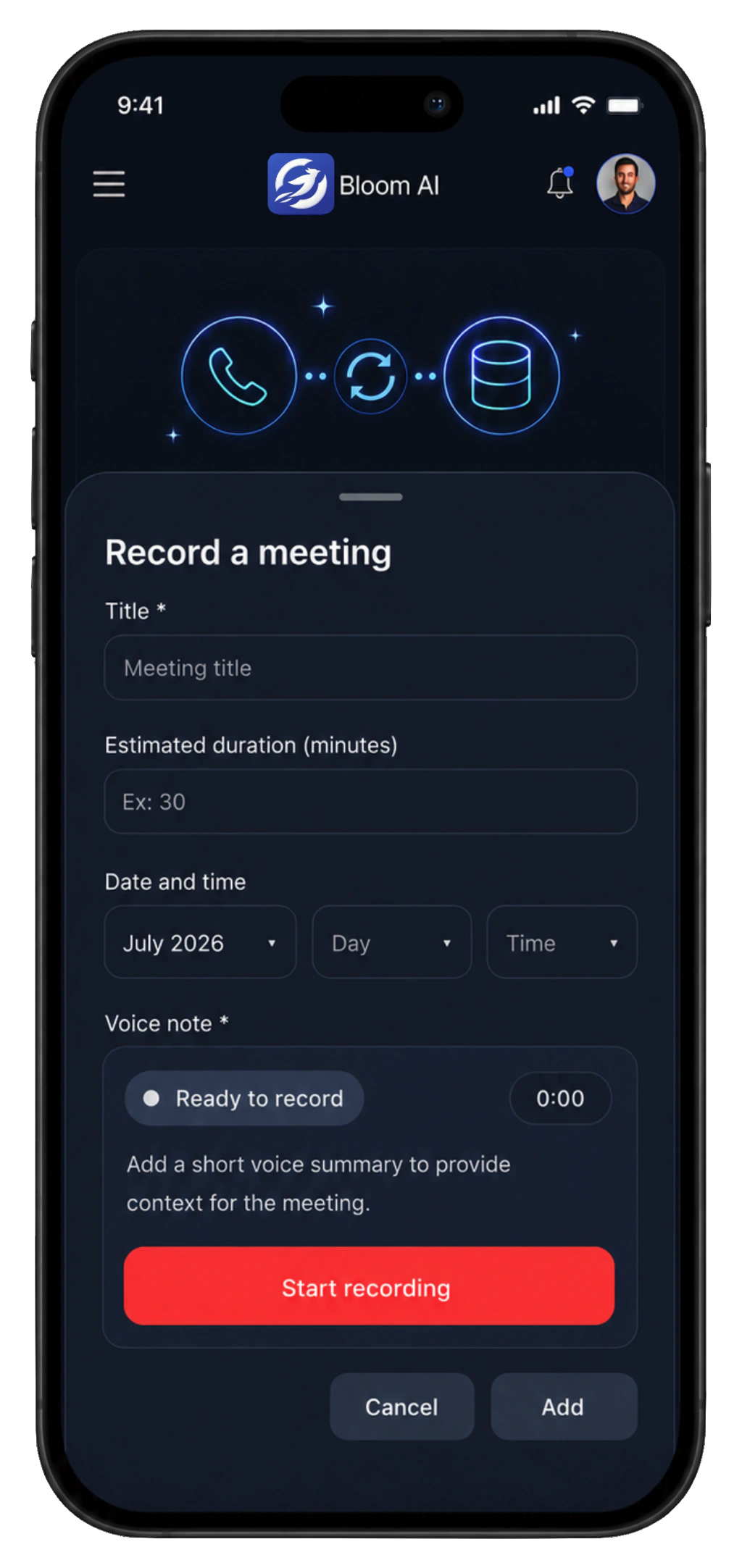
On the road · in the app
Bloom AI app showing a voice note being recorded to create a meeting record

40 seconds

  1. They speak

    Forty seconds, at the wheel or on the sidewalk. No keyboard, no form.

  2. Bloom AI writes

    Main topics, useful info, next step: the meeting becomes a recap you can read.

  3. The CRM receives

    The recap joins the right client's record, ready to read before the next exchange.

Nothing to retype tonight. Nothing to hunt for next week.

The meeting recap

Their voice, turned into a recap.

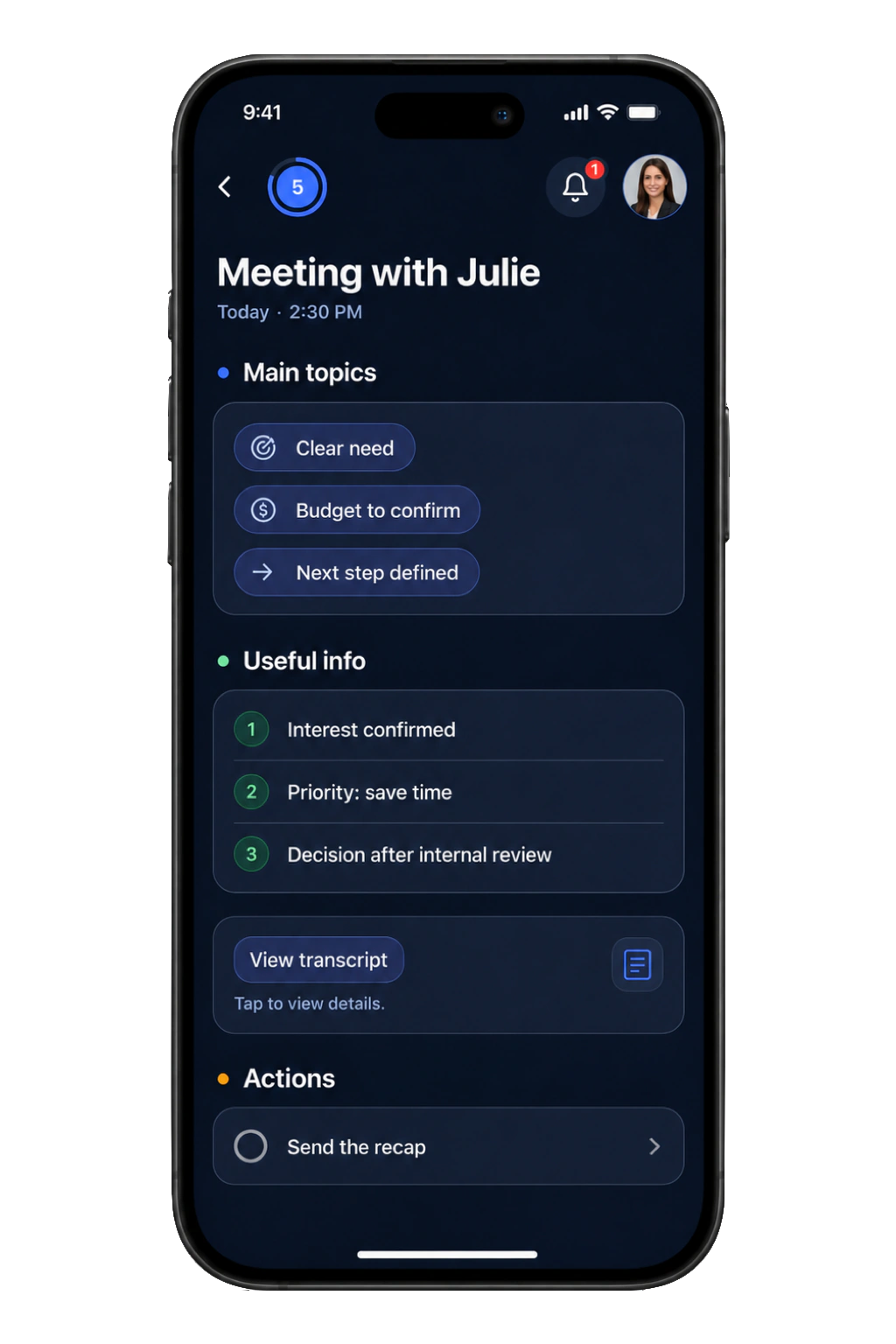
Forty seconds later the voice note has come back as a structured recap: main topics, useful info, transcript, actions to take. It is filed on the right client's record. Nobody replays the recording, nobody retypes a line.

  • A structured recap, not a voice memo to replay
  • Filed on the right client, ready for the follow-up
After the meeting · in the app
Bloom AI app showing a meeting record: main topics, useful info, transcript and actions to take

Frequently asked questions

What exactly reaches my CRM?

Three things, after every call: the topics the conversation covered, the meeting if one was booked, and the useful information specific to that client. Nothing else is written on your behalf. On top of that come the meeting recaps produced from voice notes, when the meeting happened in person.

Does Bloom AI connect to my CRM?

Yes. Call summaries, follow-up tasks and contact fields are pushed to your CRM automatically after each call, so your pipeline reflects reality without manual data entry. Tell us which tool you use and we will confirm exactly what is synchronized before you even start the trial.

How does the voice note work after an in-person meeting?

Your rep creates the meeting in the app, records a short summary and confirms. Bloom AI transcribes it, structures the recap (main topics, useful info, actions to take) and sends it to the CRM on the right client's record. It is built to be used while walking or driving, not sitting at a screen.

Can my rep review it before it goes out?

Yes. The call summary and the meeting record stay visible and editable in the app. Automation removes the typing, not the control: what is written remains the responsibility of the person who ran the conversation.

Do I have to change my phone system to benefit from it?

You keep your carrier if you want to: your current number stays with them, your reps call from the app and that is the number your client sees. Otherwise, a Bloom AI number goes live within minutes. Either way the calls run through the app, and that is what makes it possible to write the summary without asking the rep for anything. No dedicated hardware: an internet connection and the app are enough, with unlimited inbound and outbound calls, under the fair-use policy detailed in our legal notices.

Where is my data hosted? Is it Law 25 compliant?

Your data is encrypted in transit and at rest, and hosted in Canada. Bloom AI complies with GDPR and Quebec's Law 25; guaranteed data residency is available on the Enterprise plan.

Ready to never retype a call again?

See automatic CRM updating at work on your own calls. Personalized demo, no commitment.

Book a demo
  • Set up in minutes
  • Your data stays private
  • No commitment
Sell without limits 🚀 Step into the future of sales
Book a demo 👇 Tell us everything 💬